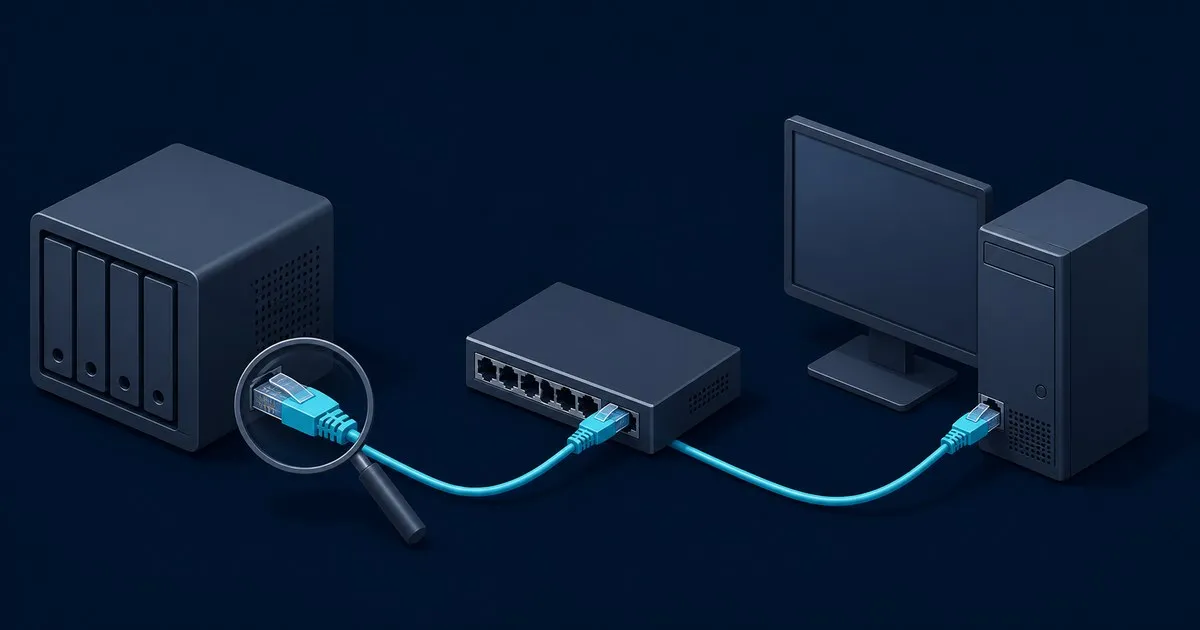
A slow NAS transfer can be limited by an Ethernet link, a drive’s sustained write behavior, or a controller connection shared by several disks. Identify that physical limit before choosing replacement hardware. This guide covers the link, disk and HBA path; its numbers are interface arithmetic and cited specifications, not measured results.
Write down the file size, copy direction, reported speed and whether the rate stays flat or falls during the transfer. Keep MB/s and Mb/s separate: eight bits make one byte. Compare the same workload each time so a changed file mix does not look like a hardware improvement.
NAS link ceiling: 100 Mb/s, 1GbE, 2.5GbE or 10GbE
The slowest segment between the NAS and client limits a transfer. Calculate its nominal byte rate first.
| Negotiated link rate | Nominal rate divided by eight | Interpretation |
|---|---|---|
| 100 Mb/s | 12.5 MB/s | A link at this rate cannot deliver gigabit file-copy speeds |
| 1 Gb/s | 125 MB/s | File payload must fit below this raw line-rate ceiling |
| 2.5 Gb/s | 312.5 MB/s | Requires a compatible path, not just a faster NAS port |
| 10 Gb/s | 1,250 MB/s | The array and controller must also keep up |
These are mathematical upper bounds before framing and protocol overhead. They are not promised application throughput. TrueNAS’s interconnect reference separates interface rates from effective transfer rates, which is the distinction to keep in mind when reading a copy dialog.
Check the negotiated speed at the NAS, switch and client. A nominally gigabit device can be connected through a slower port or intermediate segment. On Linux, the interface’s ethtool output can show speed and duplex; appliance interfaces commonly expose link status in their network settings. Use the actual interface name from the system.
If a link negotiates below the rate all its components support, try a known working cable and compatible switch port, then inspect link status again. Record whether the negotiated rate changed before drawing a conclusion. A faster NAS adapter cannot overcome a slower switch uplink or the client’s link.
Separate the network path from disk throughput
A memory-based network check with iperf3 helps isolate the path from the storage workload. Its official documentation describes client and server modes, byte and bit reporting, and reverse-direction testing. Run it only between machines you administer and compare both transfer directions. Record the options used so results are comparable.
Then compare a local file operation on the NAS with the network copy. Use an ordinary disposable file in a designated test directory and the platform’s supported storage tools. Keep enough free space for normal operation. A raw-device write is unnecessary for this diagnosis and could overwrite the array.
A repeated read that fits in memory may describe RAM cache rather than the disks. A short write can also finish in a buffer before storage has completed its work. Record the file size, system memory and whether the result describes completion on disk. Do not compare a cached read with an uncached network write.
If the local storage operation is already slower than the network-only result, examine the drives and their controller path. If the network-only result is low, resolve link negotiation and the physical path first. If both are adequate but the file share remains slow, continue with OpenMediaVault slow SMB transfer troubleshooting for the Samba and client layer.
SMR write cliff: confirm the exact drive model
A transfer that starts quickly and then slows can indicate that a buffering layer has stopped absorbing the difference between incoming data and sustained disk writes. Drive-managed SMR is one possible cause. It is not the only one, so the shape of a transfer graph is a clue, not an identification method.
SMR overlaps tracks and must preserve affected data when rewriting a band. The Zoned Storage documentation describes the distinction between drive-managed and host-managed operation. TrueNAS’s hardware guidance advises avoiding SMR disks for its storage workloads because of write and resilver behavior.
Check each member’s exact model with the CMR/SMR drive lookup. A partial or missing match is not a result. Use the linked vendor disclosure or model datasheet to confirm the identifier, including any revision distinction. The CMR or SMR for NAS guide explains the buying implications.
If a drive proves unsuitable for the workload, plan a supported replacement with backups available. Changing a link speed cannot remove the disk’s recording constraints. Avoid claiming a universal slowdown factor: workload, drive firmware, array activity and the amount written all affect the outcome.
Drive cache: burst rate versus sustained writes
Keep three things separate: the drive’s onboard cache, any controller cache, and the NAS operating system’s memory cache. A copy can encounter more than one buffering layer, and the model datasheet’s cache figure does not describe them all.
WD’s Red Plus brief illustrates why the full model matters. Its 12 TB WD120EFGX lists 512 MB of cache and an internal transfer rate up to 260 MB/s. The 12 TB WD120EFBX lists 256 MB and up to 196 MB/s. Both are CMR. Neither cache size is proof of SMR, and neither quoted internal rate guarantees end-to-end file-transfer throughput.
Compare a sustained operation with its initial burst and check whether the destination is still busy after the copy dialog finishes. Document cache settings rather than changing several at once. A throughput diagnosis is not a reason to disable write protection or assume cached data is durable. TrueNAS specifically cautions about hardware RAID write caches with failed battery protection.
For a receiving client, apply the same reasoning to its local disk. If that destination cannot sustain the incoming rate, the NAS cannot make the file finish faster. Comparing a second wired client with adequate local storage can help isolate this hardware constraint without changing the NAS.
HBA and PCIe lanes: check the shared controller path
An HBA’s drive-side port rate and its host-side PCIe connection are different limits. Several drives can share one upstream connection, so adding their individual datasheet speeds does not establish that the host can receive the total.
Broadcom specifies an x8 PCIe 4.0 host interface for the 9500-8i. That describes this card, not every HBA or every motherboard slot. Check the exact controller’s requirements, the board’s electrical slot width and the link actually negotiated after installation. A slot can be physically long yet wired for fewer lanes.
TrueNAS’s interconnect table lists about 985 MB/s for PCIe 3.0 x1 and 3,938 MB/s for x4 in one direction. These are interface reference figures, not NAS benchmarks. They illustrate why generation and width must both be considered. Do not apply a PCIe 4.0 rating to a connection running at an older generation.
Read the board’s lane-sharing table with every expansion device installed. M.2 sockets, additional network cards and chipset-connected slots can change the available path. A SAS expander or backplane may also place several drives behind shared connections. Confirm the exact wiring instead of counting connectors.
The NAS buying guide’s controller and chassis planning covers those checks before purchase. The NAS Drive Bay and PSU Calculator includes example card lane allocations, but it cannot discover the motherboard’s routing.
Match the hardware symptom to the next check
| Observation | Possible hardware constraint | Check before replacing parts |
|---|---|---|
| Rate remains below a 100 Mb/s ceiling | A slow negotiated link or intermediate segment | Speed at both endpoints and the switch |
| File copy approaches the gigabit ceiling | Existing network capacity | Compare local storage and network-only results |
| Large writes start fast and then slow | Buffer exhaustion or drive rewrite behavior | Exact model, sustained workload and cache layers |
| Several drives together reach a common ceiling | Shared HBA, expander or PCIe path | Controller host interface and actual slot width |
| Only one receiving machine is slow | That client’s link or destination disk | Another wired client and its local storage |
| Only short or repeated reads look fast | A cache-influenced comparison | File size, memory and whether data was cached |
Replace the component whose constraint the comparison identifies. For a network upgrade, budget the adapter, switch path and client together. For a controller change, check slot width, cabling, drivers and cooling. For a drive change, verify the model and the platform’s replacement procedure. This keeps a hardware purchase tied to a documented limit.
For the next step in a hardware upgrade, browse the NAS planning and troubleshooting guides for drive selection and system sizing alongside transfer diagnosis.

